


Configure Oracle Identity Manager AD/LDAP Authentication

Requirements (on AD side)
- LDAP connection user with the necessary rights in AD to do subtree searches on your users and groups container, respectively in the scope we configure below
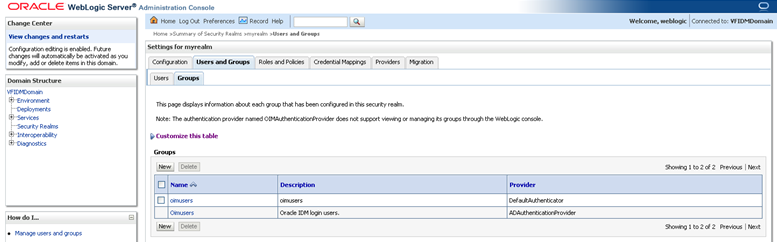
- For LDAP in OIM to work, you need an AD Group called “oimusers“, in which all users who shall be able to login to OIM need to be member. The group need to be named exactly “oimusers“.
Step 1: Login Weblogic Administration Console


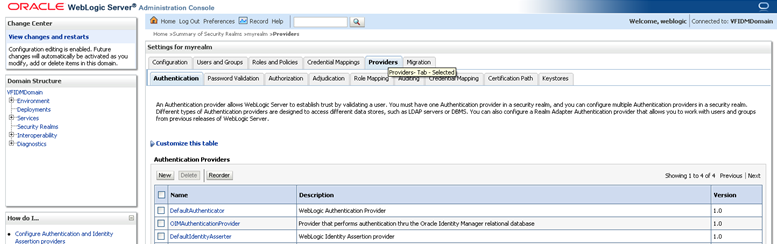
Step 2: Create New Provider
Authentication Provider
- Name: ADAuthenticationProvider
- Type: ActiveDirectoryAuthenticator
- Control Flag: SUFFICIENT
User scope configuration
- User Base DN: Container where your users are found
- Rest of the parameters stay default
Group scope configuration
- Group Base DN: Container where your groups are found
- Your “oimusers” group must be found in this container or in the subtree
- Rest of the parameters stay default


Step 3: Restart Admin Server

Step 4: Check oimusers group

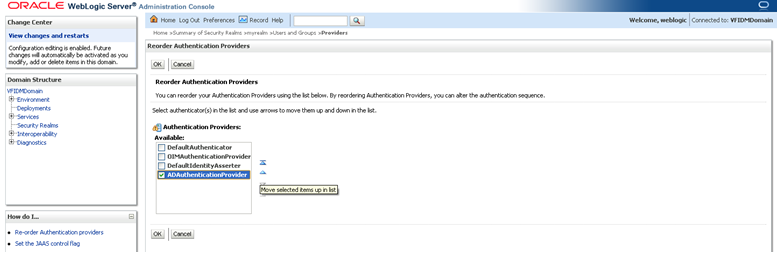
Step 5: Re order providers

Step 6: Restart Admin Server
Posted In


Yorumlar

Yanıt Bırak